Will it make my Mac faster?
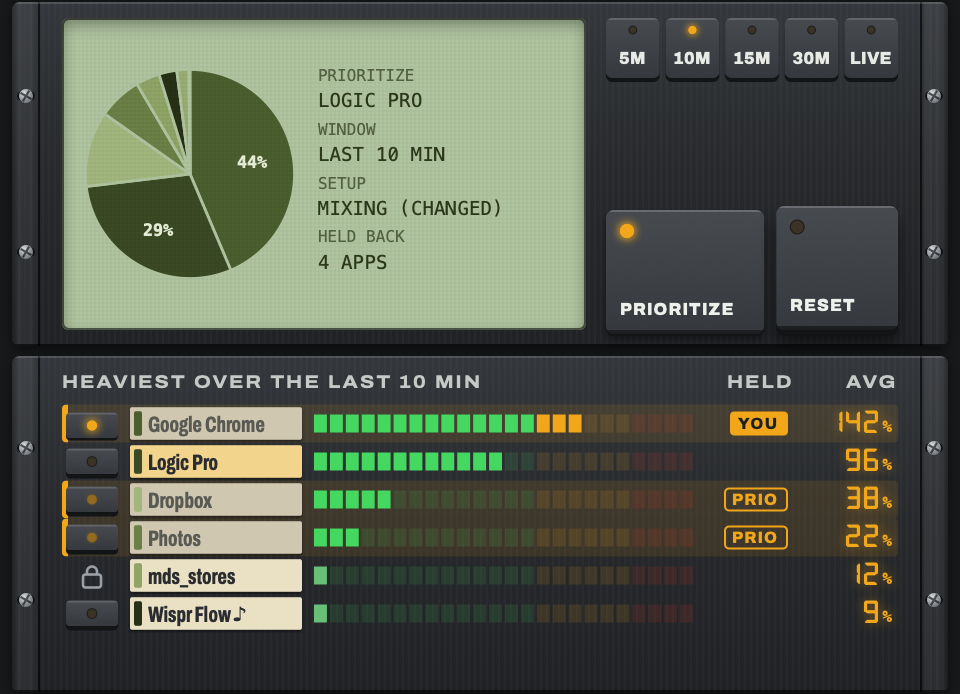
It won't add power. It decides who gets the power you already have, so the app you're working in stops losing out to things running in the background. On a busy Mac, that can be enough to stop the overloads. On my 2015 iMac it was the difference between five overloads and none (the full test is above).
Does it work with Ableton, Pro Tools or Cubase?
Yes. CPU Manager isn't a plugin, so it works with any app on your Mac. Pick whichever one you're recording in.
Could it cause clicks or dropouts?
Not in your audio path. The parts of macOS that handle sound, plus your interface's control software, are permanently off limits, and CPU Manager also tries to spot other apps playing or recording sound and leave them alone. If you ever hear something, mark the app Never throttle and tell me, because that's a bug I want to fix.
Video calls and screen recordings are the exception to watch for. CPU Manager's whole job is to slow down whatever's running in the background, and it can't reliably tell a Zoom call or a recording of your session apart from any other background app. If one of those is running while Logic has priority, its sound and picture can both get very glitchy. Before you start, right-click that app in CPU Manager's list and choose Never throttle this app. It'll run at full speed while everything else still steps back.
How does the beta work?
Sign up with the form above. I pick testers for a good spread of Intel Macs, macOS versions and audio interfaces, then email you the download and your own tester code. The app runs for 30 days from when you first unlock it. Around day 14, and again a few days before the end, it asks you five quick questions the next time you open it. Answering those is the whole price of admission.
What happens after the 30 days?
The beta copy stops working, and quitting it puts every app back exactly as it was, so nothing is left slowed down. When CPU Manager goes on sale, beta testers hear about it first.
Does it work on Apple Silicon Macs?
The first release is for Intel Macs, because that's where I've built and tested it. An Apple Silicon version will follow once I've tested it properly on M-series machines.
Why not just close Chrome?
You could, and if you're the sort of person who closes Chrome before every session, you might not need this at all. The rest of us have forty tabs open, three of them are lyric sheets, and one is a YouTube tutorial paused at the good bit.
Does it need the internet or my password?
It needs neither. CPU Manager never connects to the internet and never asks for your administrator password.